Dashboard overview
The GiveFlow dashboard gives you a snapshot of your fundraising performance. Click GiveFlow in your WordPress admin menu to open it.
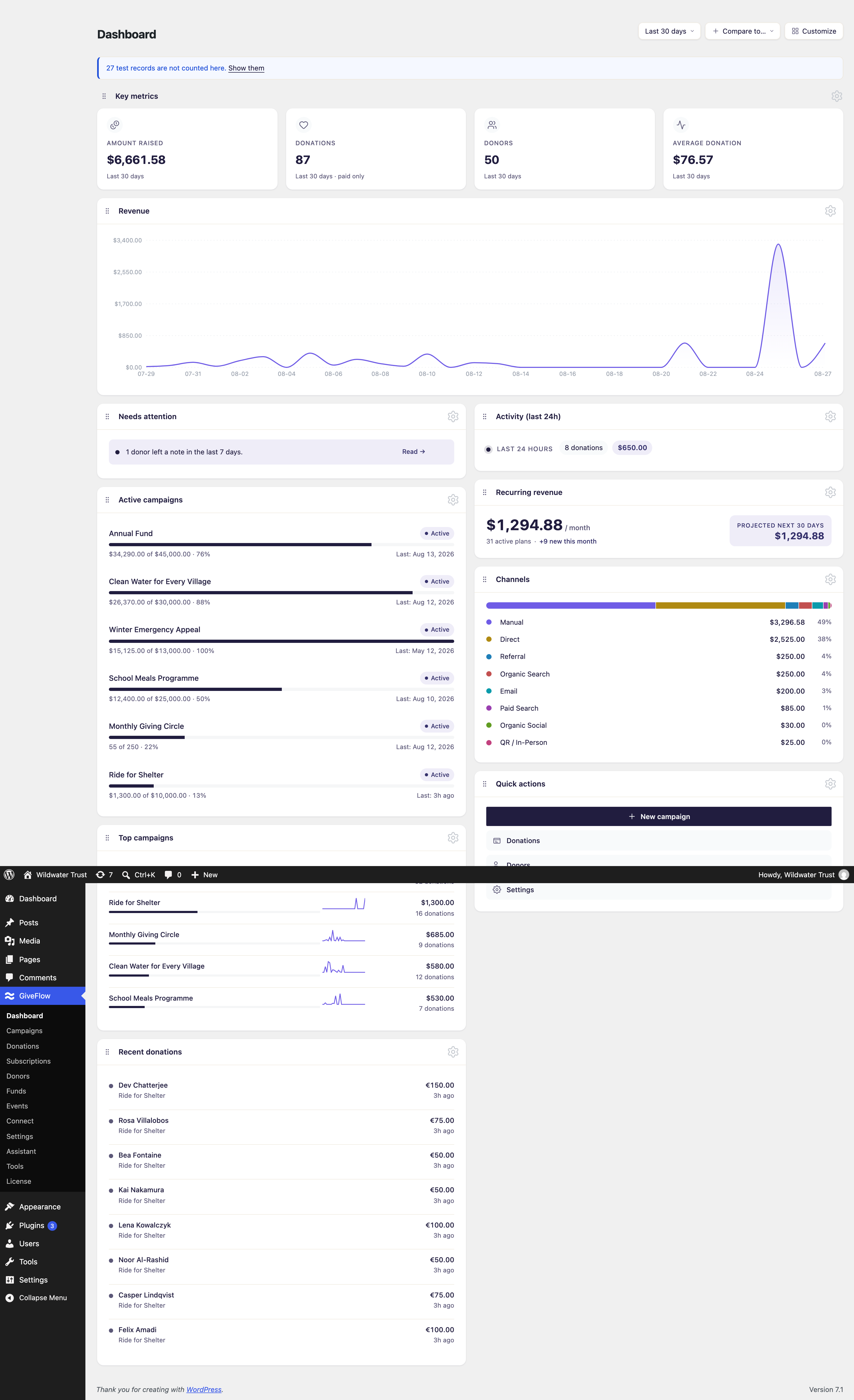
KPI cards
Four cards track the headline numbers for the date range you have selected:
- Amount raised: The total raised in the range, in your base currency and net of refunds.
- Donations: The number of paid donations in the range.
- Donors: The number of distinct donors who gave in the range.
- Average donation: The average amount per donation.

Revenue chart
The revenue chart displays your donation income over time. Use the date range selector in the page header to adjust the time period. It sets the range for the whole dashboard, not just the chart. Available ranges are:
- Today
- Last 7 days
- Last 30 days
- Last 90 days
- All-time
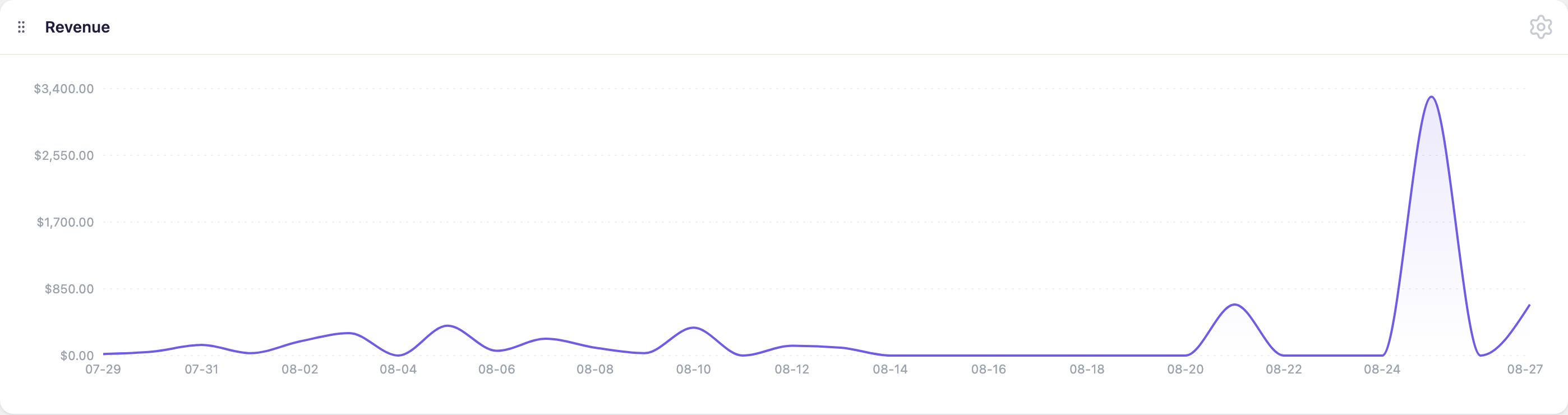
Comparison
Next to the range selector is a Compare to menu with three choices:
- No comparison
- Previous period
- Same period last year
Picking either comparison overlays that period on the chart and adds a percentage change to each KPI card. Comparison is unavailable when the range is Today or All-time, so the menu does not appear for those ranges.
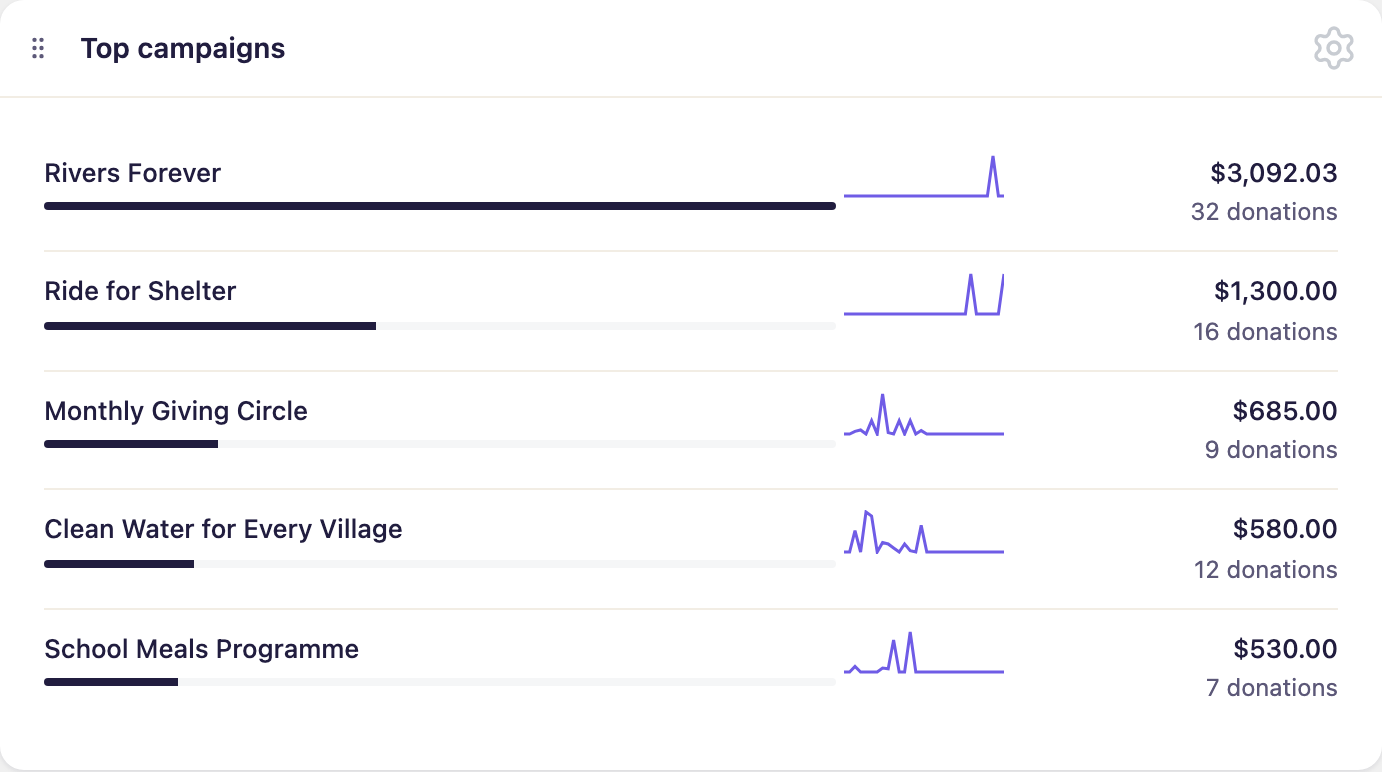
Top campaigns
The top campaigns widget ranks your five highest-earning campaigns by amount raised in the selected range, each with a small trend line. Use this to quickly identify which campaigns are performing best.
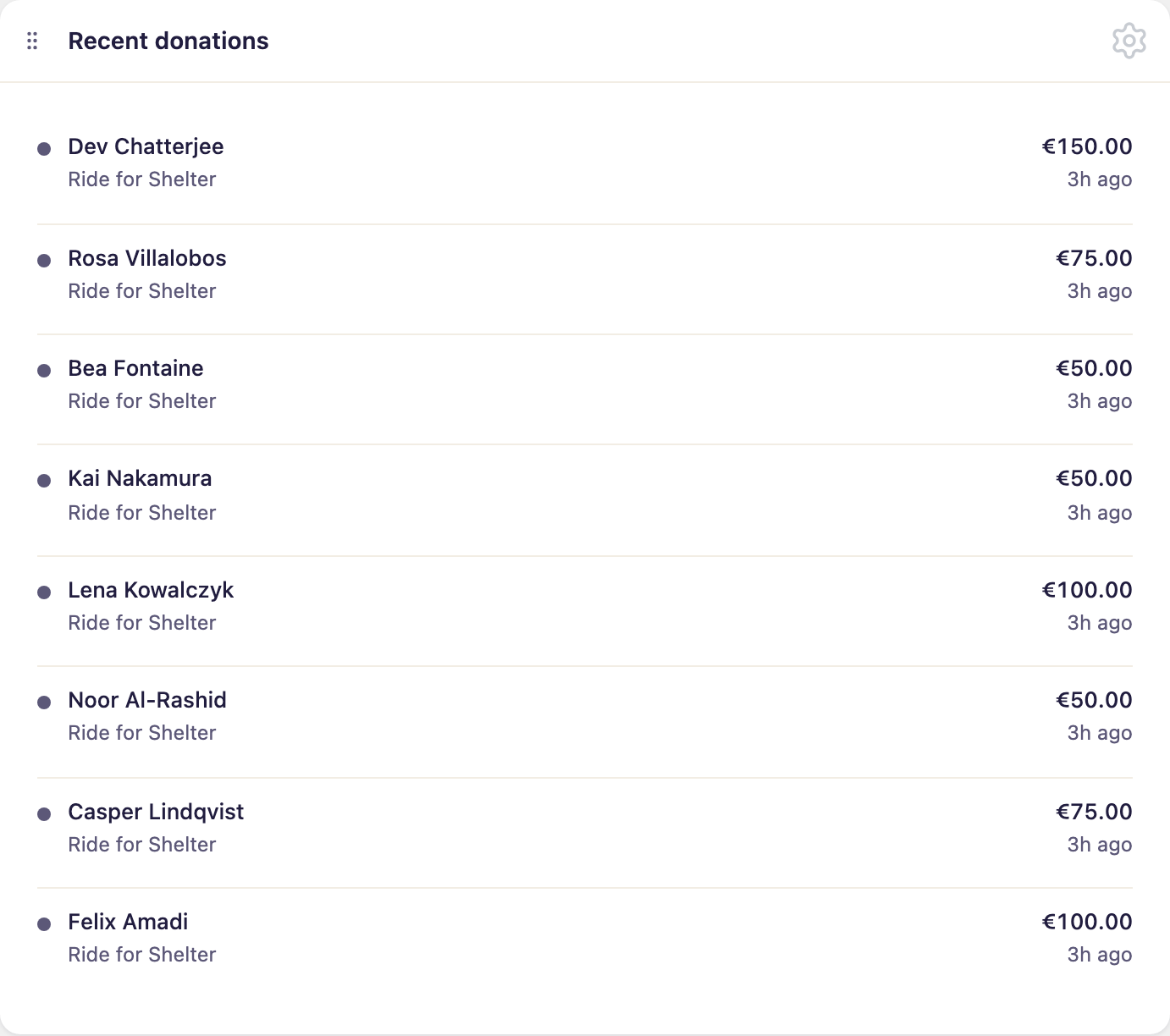
Recent donations
The recent donations widget lists your most recent paid donations, with donor name, amount, campaign and how long ago the payment came in. Donations given anonymously show as Anonymous. The list always shows the latest donations rather than the ones inside the selected date range, and it updates when you reload the dashboard.
Recurring stats
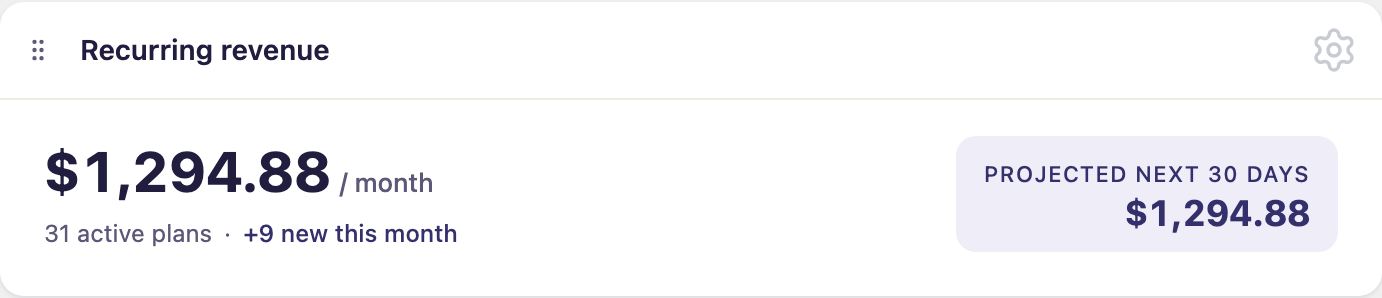
If you accept recurring donations, the recurring revenue widget shows:
- MRR (Monthly Recurring Revenue): The total amount you receive each month from active recurring plans.
- Active plans: The number of active recurring donation plans, and how many of those started this month.
- Projected next 30 days: What those active plans are expected to bring in over the next 30 days.
Until you have your first active plan, the widget prompts you to enable a recurring frequency on your form instead.
Needs attention
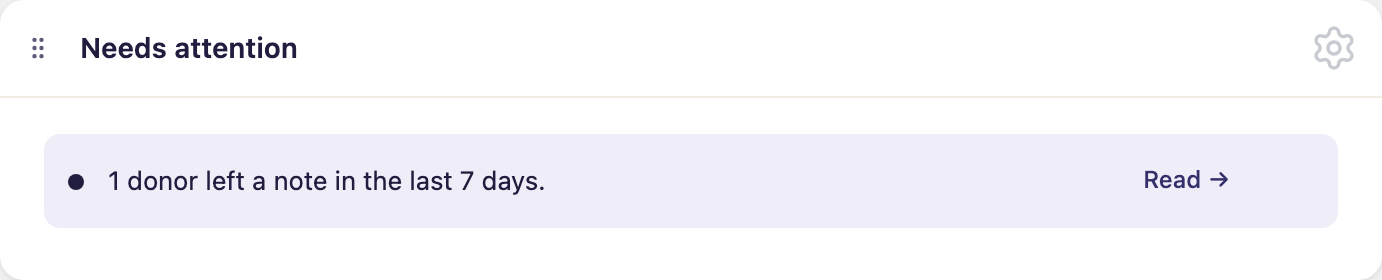
The needs attention panel alerts you to things worth acting on, each with a link to the right screen. It checks for:
- Failed donations: Donations that failed in the last 24 hours.
- Ending campaigns: Published campaigns whose end date falls within the next 7 days.
- Missing forms: Published campaigns with no default form, where the donate button on the campaign page does nothing.
- Donor notes: Donors who left a note with their donation in the last 7 days.
- No published campaigns: A prompt to create one, if you have none.
When none of these apply, the panel says nothing needs attention.
Review this panel regularly to keep your fundraising running smoothly.
Next steps
- Create your first campaign to start raising funds.
- Visit GiveFlow > Donations to review individual donation details.
- Visit GiveFlow > Donors to manage your donor records.